Nowadays, more and more foreign trade professionalsbuilding your own websitechoose to use Elementor to design their web pages when building their own websites because Elementor is relatively simple and allows webpage design modifications without coding knowledge. However, some friends are not yet familiar with all the features when using Elementor. For example, when designing web pages with the Elementor Builder, many background images and text are used. So, how do you modify the image background and center the text display? The method is as follows:
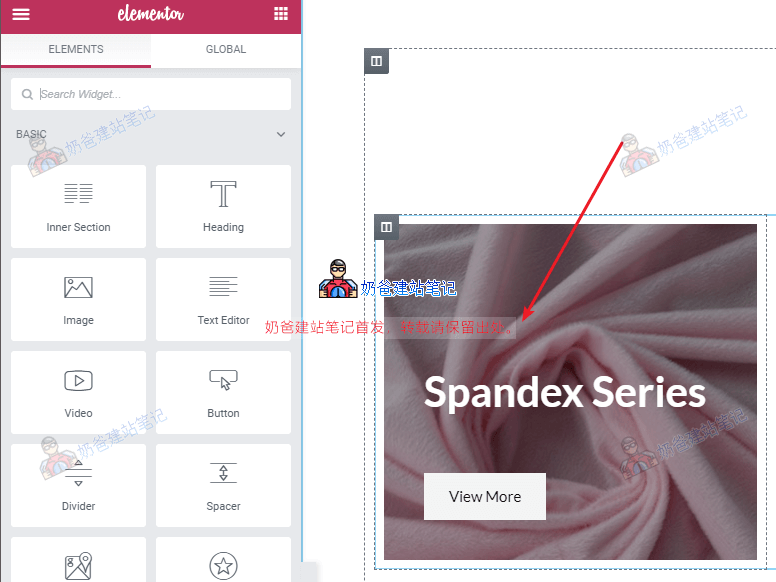
In the image above, when we click on the picture, we can see that the left navigation bar does not change at all. This situation occurs because this area is not using the Image function but rather the column background.
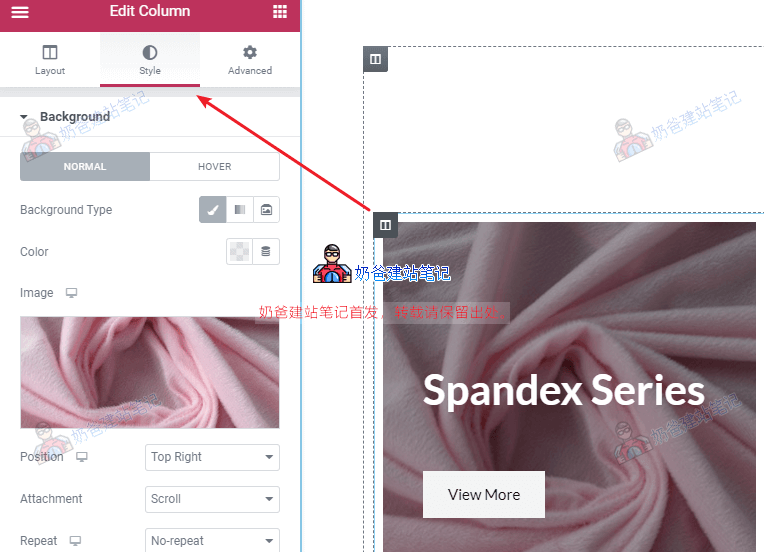
Click the column icon in the top left corner, then switch to the Style tab, and you will see the image.
Click the image to replace it with another image.
How to set text or buttons to be centered?
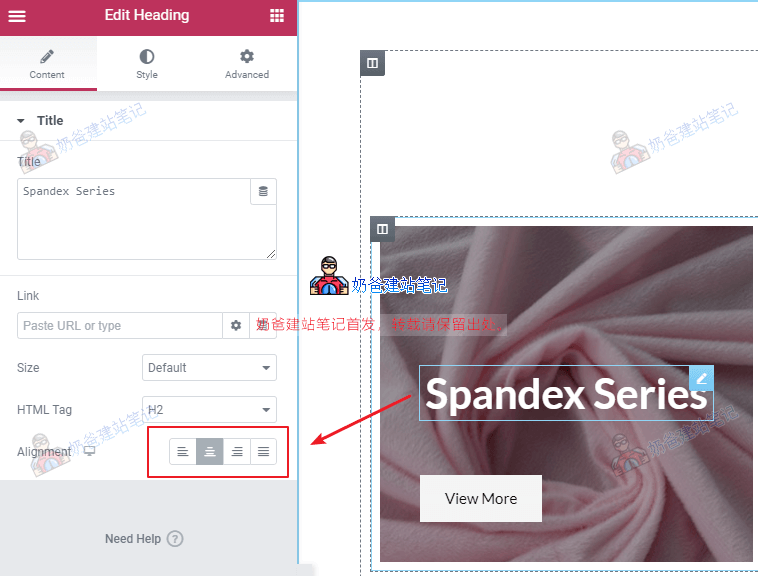
Click the text or button you want to modify, and then on the left, you will see an Alignment option, which controls whether the display is centered or left-aligned.
After all modifications are done, update the page.
Finally, when using Elementor, you may find that some features are only available in the Pro version. You canclick here to purchase from the official websiteone.
View more detailsElementor Tutorial