🚀 Is building a website too difficult? Let me guide you step by step—Learn about the 「Naibabiji WordPress Website Building Coaching Service」 →

How to upgrade phpMyAdmin to version 4.9 in Baota Panel

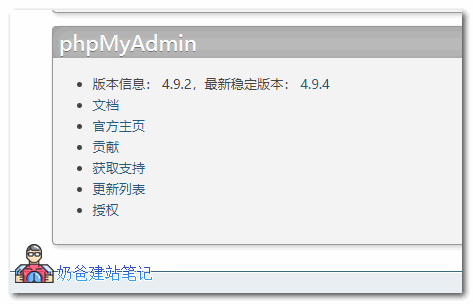
Today, after installing Baota for a client, I found that accessing PHPMyAdmin would showWarning in ./libraries/config/FormDisplay.php#661an error, caused by a compatibility issue with PHP 7.3. The online solution is to modify line 661, changing Continue to break. However, the best method is to install the latest PHPMyAdmin version 4.9. Upgrading in Baota Panel is also very simple. The steps are as follows: 1. Enter the Baota Panel Software Store; 2. Uninstall the already installed phpMyAdmin version; 3. Click Install again and select version 4.9.phpmyadmin 4.9

🚀 Still feeling confused after reading the tutorial? Let me guide you step-by-step instead.

「Naibabiji WordPress Website Building Coaching」 — From selecting a domain and purchasing hosting to installing themes and publishing posts, I「ll guide you through every step, helping you avoid detours and reach your goals directly.

👉 Learn about Website Building Coaching Service
🔒

Comments are closed

The comment function for this article is closed. If you have any questions, please feel free to contact us through other channels.

×
二维码

Scan to Follow