
Foreign trade usersbuilding your own websiteafter building their own websites, most consider directlypurchasing premium WP themes from Themeforest, and Slider Revolution is a slideshow plugin included with many themes. Here, Naiba teaches youhow to use Slider Revolution to modify the link addresses for slideshow images and text buttons。
1. Find Slider Revolution from the left navigation menu in the WordPress backend, then select the slideshow template you want to edit.
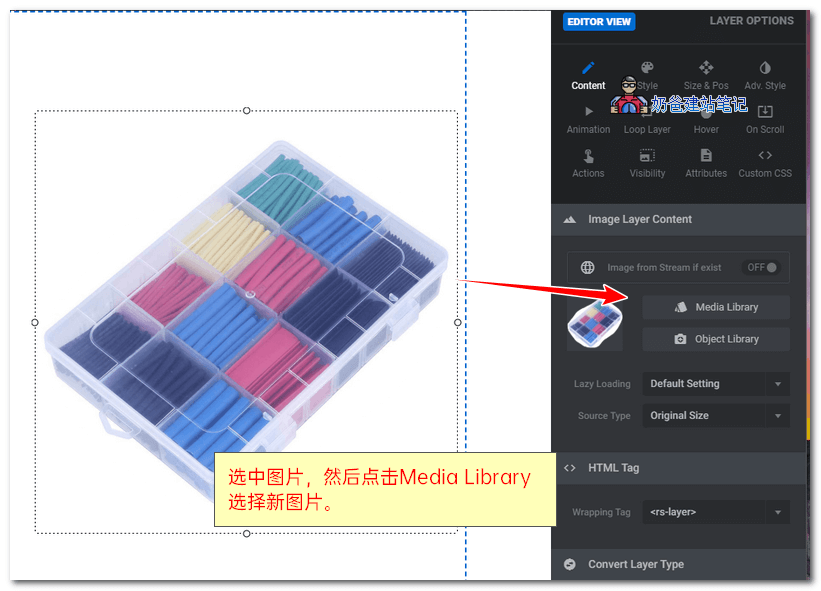
2. Click the image you want to replace, then on the right side of the screen, you will see the Image Layer Content area. Click the MediaLibrary button to replace it with another image.
3. If you want to modify the link or click action for an image, text, or button, simply select the element you want to add a link to, then click the Actions button to bring up the options.
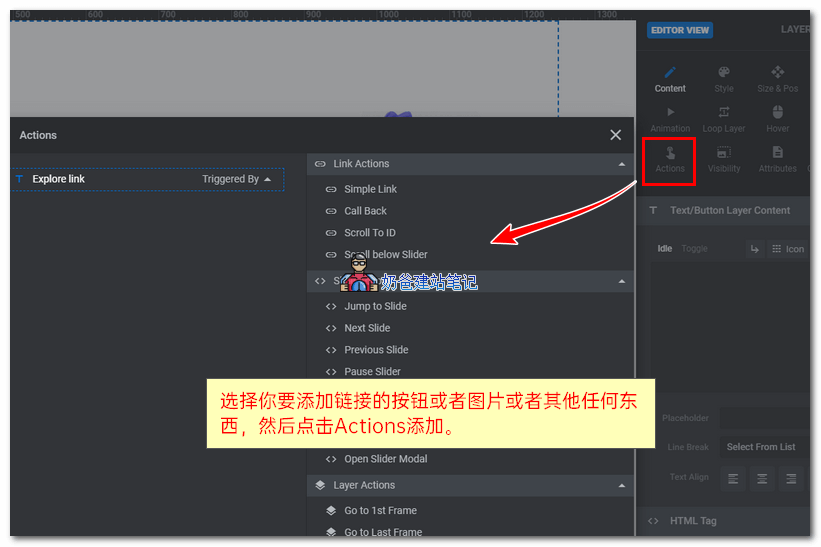
Among them, Simple Link is the most commonly used linking function. Click it and add the URL you want to redirect to.
After all modifications are complete, update the Slider Revolution slideshow, and you can see the changes on the front end of the website.