
When weBuild the websiteAfter building the website, to track daily website traffic and the number of visitors, it is necessary to install a webmaster tracking code. For novice users, they might not know how tohow to install a webmaster tracking code, this article shares several plugins for adding statistics codes or other codes.
Also introduce how toAdd ICP filing number to website footermethods for information.
Plugins for inserting code into website header and footer
WordPress PluginVery powerful, you can use any of the following three to quickly and conveniently insert tracking codes and other codes you want to add into the website header or footer.
AddFunc Head & Footer Code
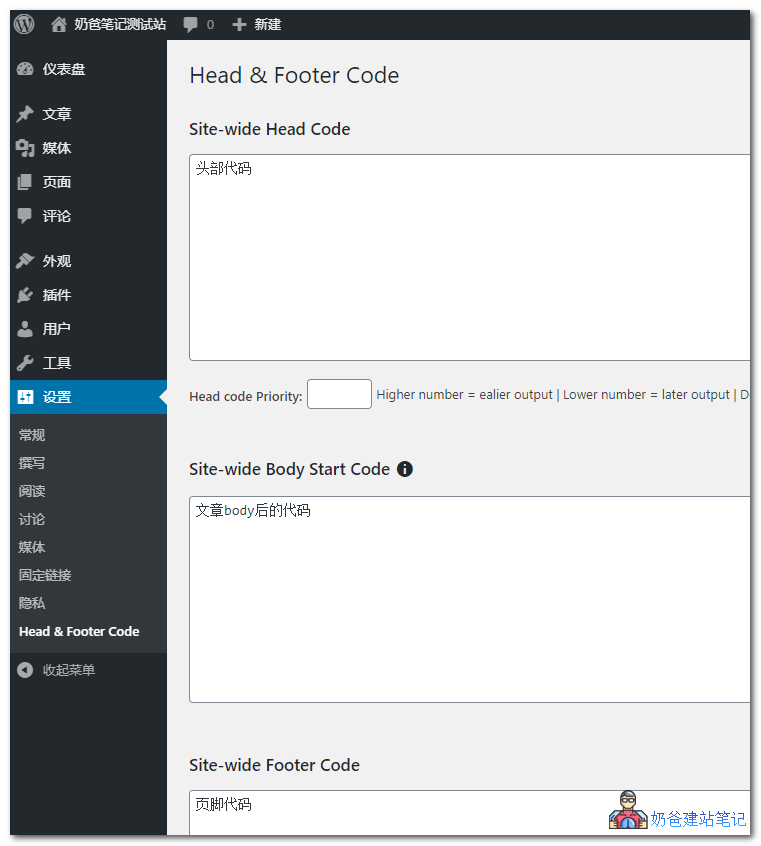
Allows administrators to add code to the <head> or footer of individual posts or the entire site. Ideal for scripts such as Google Analytics conversion tracking code and any other regular or page-specific JavaScript. A very simple, reliable, and lightweight plugin.
To add code to a specific article, fill it in the corresponding widget when publishing the article.
Head, Footer and Post Injections
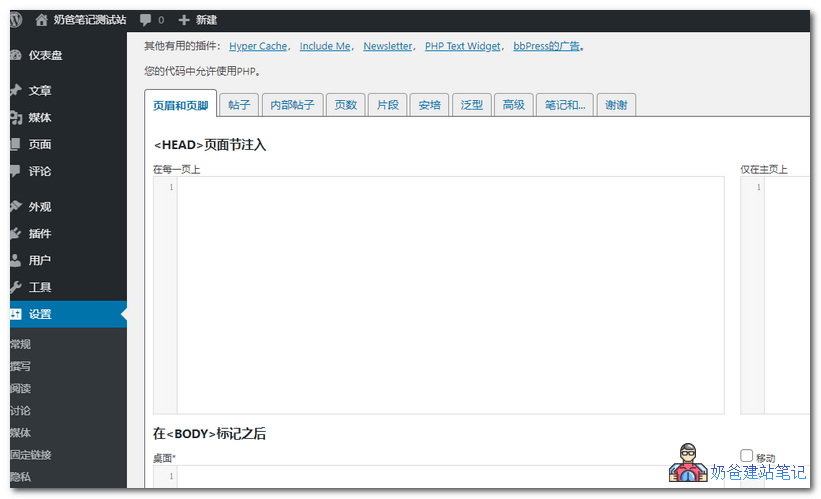
Head, Footer and Post Injections has more features, but may be more complex for beginners.
It can add header or footer code to individual pages or the entire site.
You can set different codes for desktop and mobile.
You can also add code to the functions file, with many features.
Header Footer Code Manager
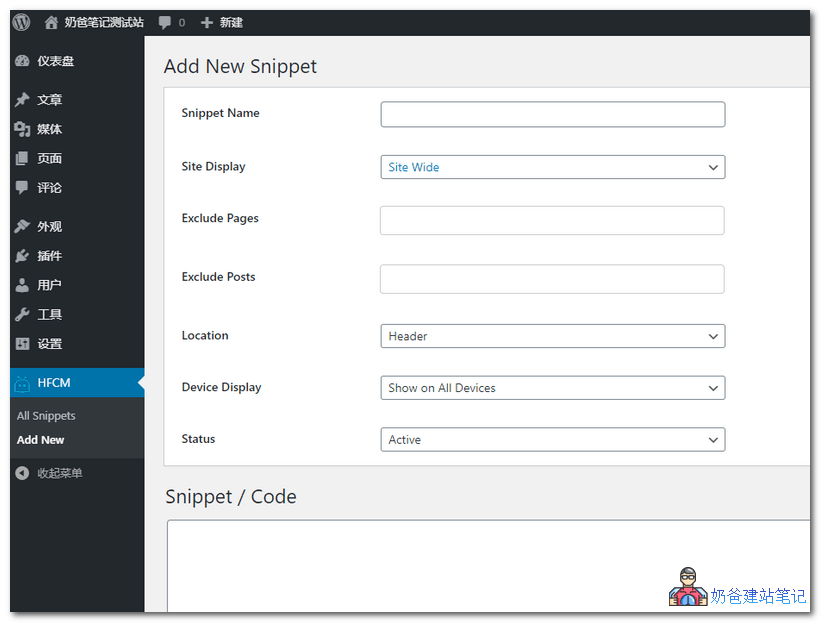
Header Footer Code Manager has options when adding code in the backend. You can choose where to display it, such as homepage, entire site, pages, tags, categories, or shortcodes.
You can also choose which devices to display on.
Another method suitable for quickly adding to websites on foreign servers:Quickly Submit Your WordPress Website to Google and Add Google Analytics Code
Manually add website tracking code
Manually adding tracking codes is divided into two situations.
The first isIf your theme settings have a default place to add statistics code, just add the code directly there.
Another situation is that the theme does not have an option to add code, so you have to add it manually. The method is as follows:
- Website backend, Appearance, Edit Theme
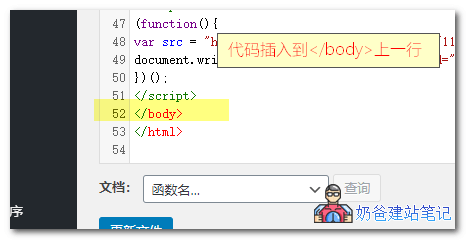
- Find the theme footer (footer.php) file (you can also download and modify it using FTP software)
- Insert the code at the appropriate position (usually on the line before </body>)
Add filing number to website
Websites in China require ICP filing, and after completing the filing, the filing information needs to be added to the website footer. Similarly, if your theme has a field for entering the website ICP filing number, simply add it there.
<a href="http://www.beian.miit.gov.cn">你的备案号</a>
If your website theme does not support directly filling in filing information, you can only manually edit the theme footer (footer.php) file to make changes.
- Website backend, Appearance, Edit Theme
- Find the theme footer (footer.php) file (you can also download and modify it using FTP software)
- Insert code at an appropriate position (position requires experience to judge)
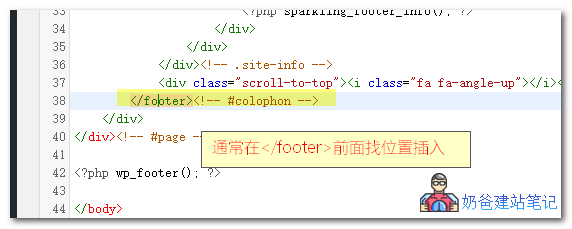 Different themes have different code. If your theme includes footer code, generally insert the code at an appropriate position before <\/footer>.
Method to add ICP filing number in Relativity theme
A webmaster is using the free WP theme Relativity and doesn't know how to add the ICP filing code. Here, it serves as a case study to teach everyone how to add the ICP filing code.
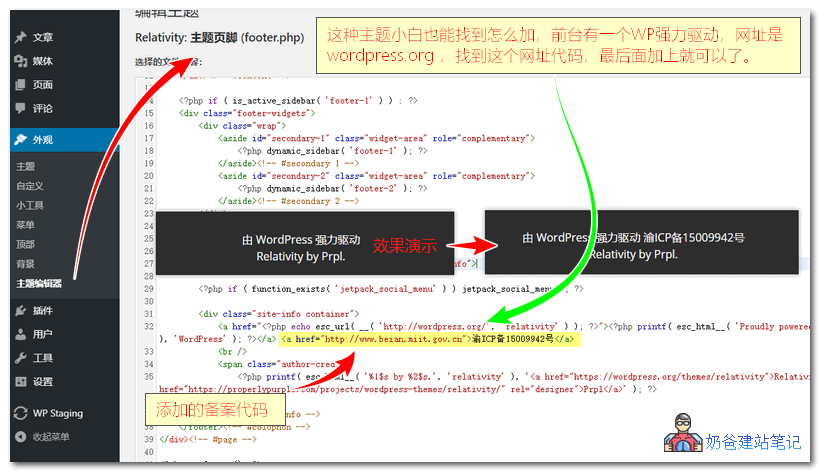
This type of theme is very easy to modify. Just edit the theme's footer.php file, then search for wordpress.org
Just add the ICP filing code at the end of that line, as shown in the image above. The ICP filing code is as follows:
<a href="http://www.beian.miit.gov.cn">你的备案号</a>
Where to apply for webmaster tracking code
Common webmaster tracking tools include the following. You can register an account yourself, add your website, obtain the tracking code, and add it to your website.
- Baidu Tongji(Recommended for domestic users)
- Google analytics(Recommended Foreign Websites)
- 51.la statistics (Naiba hasn't used it)