
🚀 Is building a website too difficult? Let me guide you step by step—Learn about the 「Naibabiji WordPress Website Building Coaching Service」 →

Tencent Enterprise Email Registration and SMTP Sending Setup Tutorial

Businesses building their own websiteAfter building their own website, businesses typically set up a domain email, also known as a corporate email. This article from Naibabiji will teach you how to register for Tencent Corporate Email and configure its SMTP settings on your website, enabling all website contact emails to be sent from your domain-based corporate email.

Tencent Corporate Email Registration Method

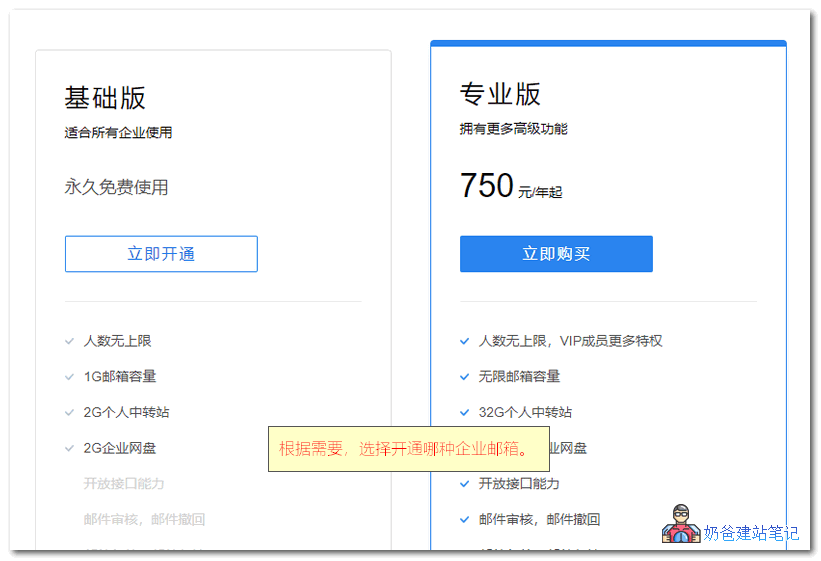
1. Open the official Tencent Corporate Email website and click the activation button.Registration addressIf you need a paid corporate email, you can also considerNetEase Enterprise Email, with a price of less than 3000 yuan for 5 accounts over 6 years.腾讯企业邮箱注册和STMP发件设置教程Tencent Corporate Email has two versions: Basic and Professional.
  • The Basic version is free and recommended for individual webmasters or small businesses;
  • The Professional version is paid and recommended for large enterprises.
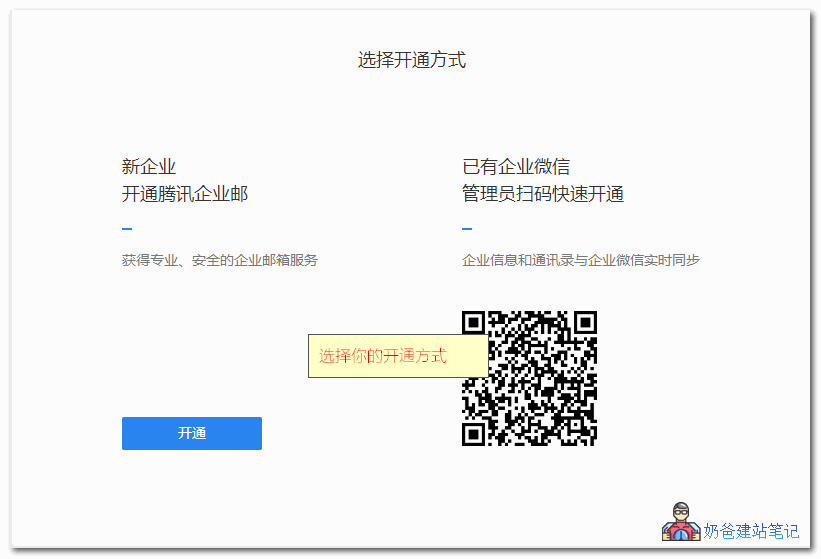
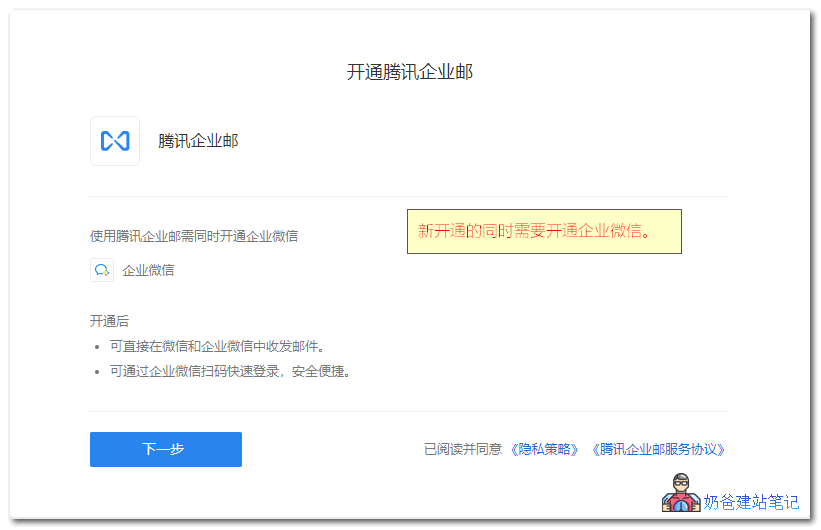
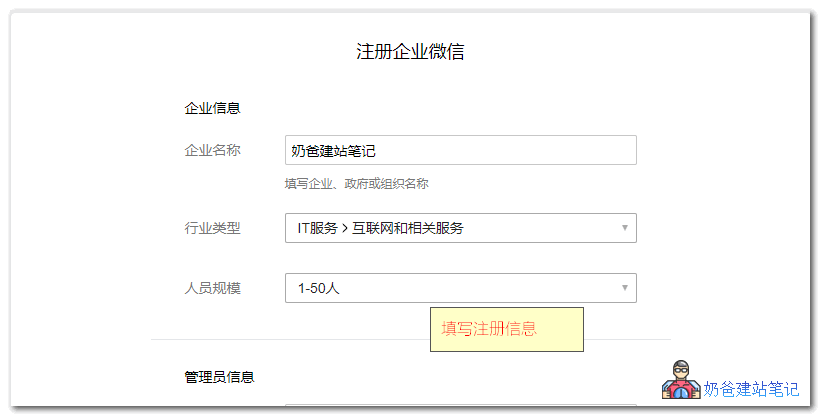
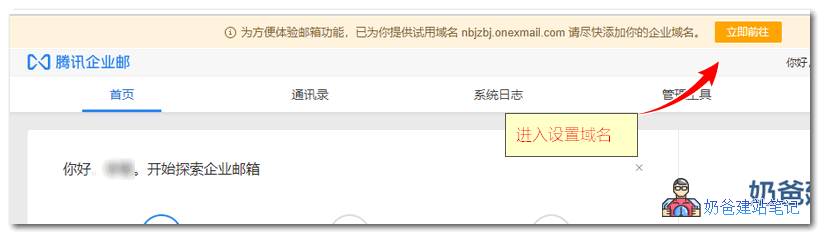
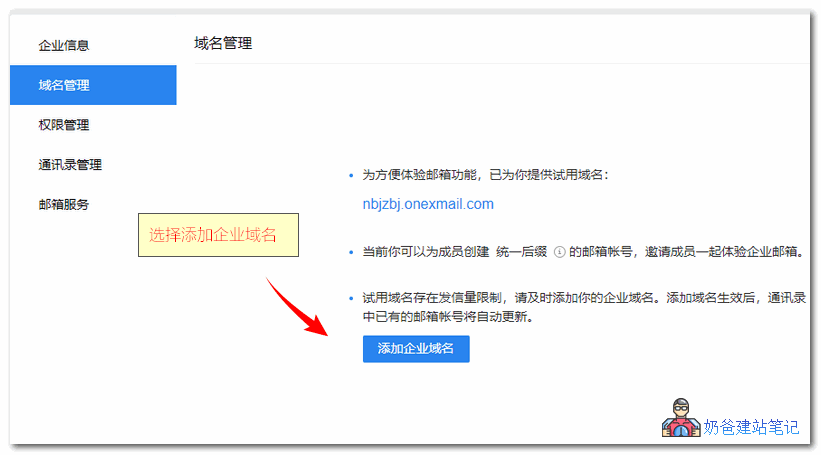
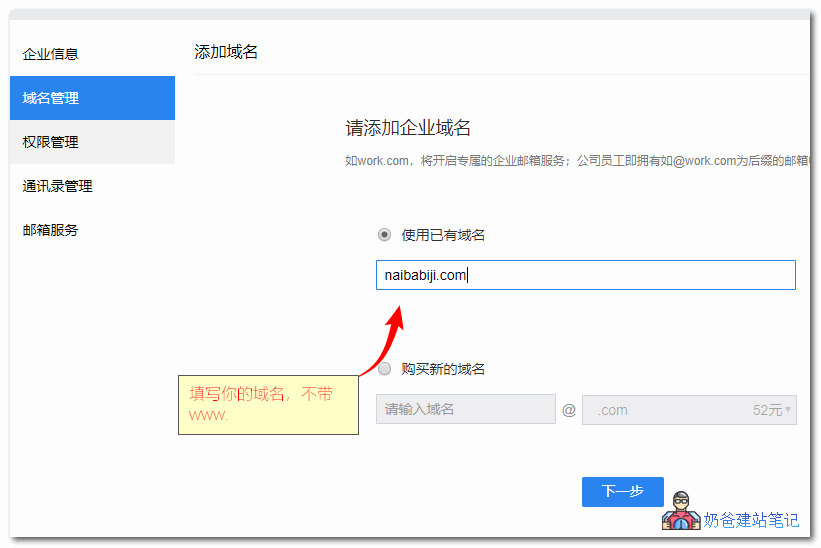
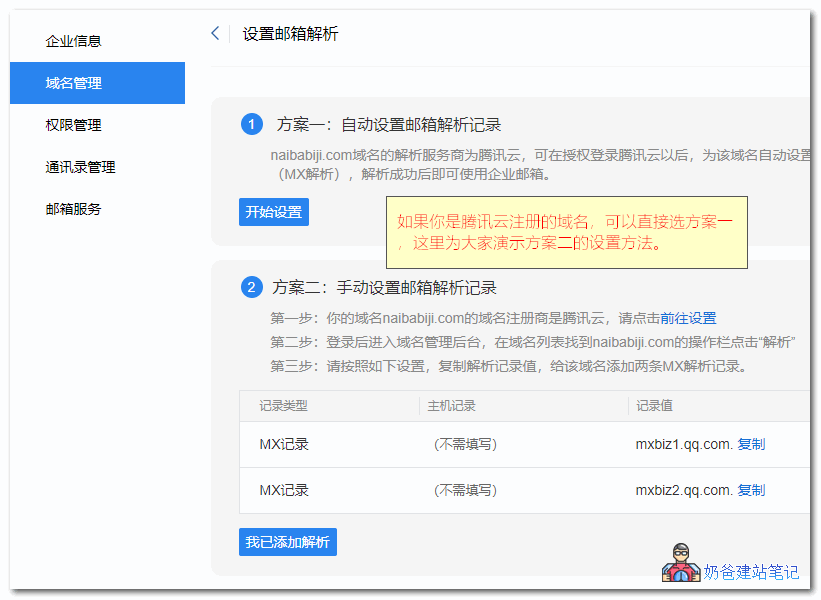
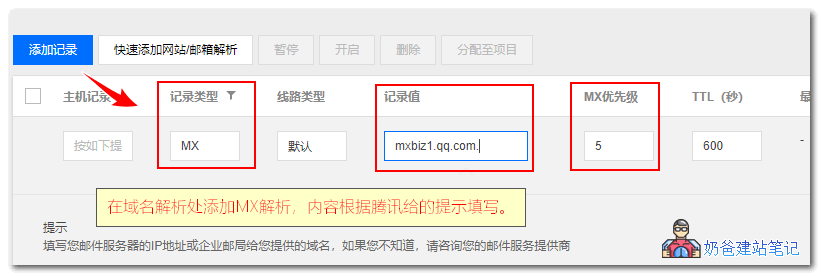
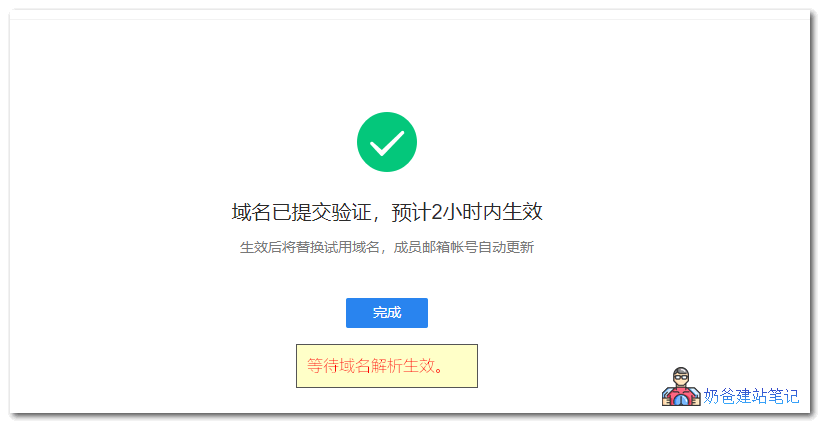
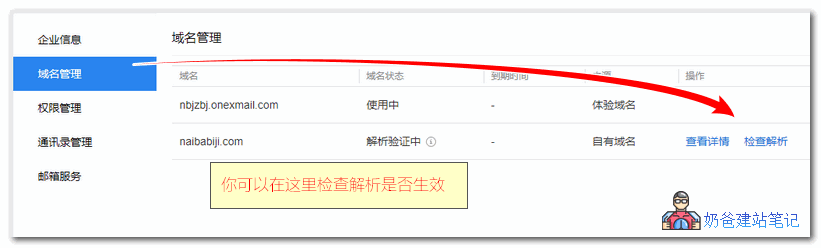
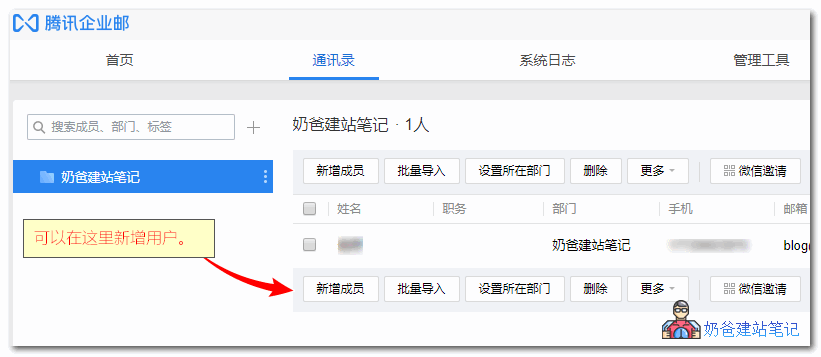
Here, we will choose the Basic version for registration. 2. Choose the activation method. If you have WeCom, you can simply scan the QR code. Here, we will use the example of a new enterprise activating Tencent Corporate Email.腾讯企业邮箱注册和STMP发件设置教程Activation will simultaneously enable WeCom; there is no option to choose otherwise, so proceed directly to the next step.腾讯企业邮箱注册和STMP发件设置教程4. Fill in the registration information for WeCom.腾讯企业邮箱注册和STMP发件设置教程5. After successful activation, click the 'Add Corporate Domain' button at the top of the page to proceed with the setup.腾讯企业邮箱注册和STMP发件设置教程6. In the domain management section, add your corporate domain, which is your own domain name.腾讯企业邮箱注册和STMP发件设置教程When adding the domain, enter your website's primary domain, which is the domain without 'www.'.腾讯企业邮箱注册和STMP发件设置教程7. Set up the MX resolution records. If your domain is registered with Tencent Cloud, you can directly use Option One. If your domain is registered with another domain registrar, use Option Two to manually add the resolution records.腾讯企业邮箱注册和STMP发件设置教程If you are unsure how to manually add resolution records, you can refer to the following tutorials:When adding, simply select the MX record as shown in the image below, and enter the value provided on the page for the record value. Leave the host record blank by default; if it must be filled to proceed, enter the '@' symbol.腾讯企业邮箱注册和STMP发件设置教程After adding, wait for the resolution to take effect. (To improve the delivery rate of emails sent to other mailboxes, it is also recommended to set up an SPF record, with the host@, and the valuev=spf1 include:spf.mail.qq.com ~all腾讯企业邮箱注册和STMP发件设置教程You can click the 'Check Resolution' button in the domain management interface. Once it takes effect, the corporate email is fully configured.腾讯企业邮箱注册和STMP发件设置教程You can add other corporate email accounts in the address book.腾讯企业邮箱注册和STMP发件设置教程

Configuring Corporate Email SMTP for Sending

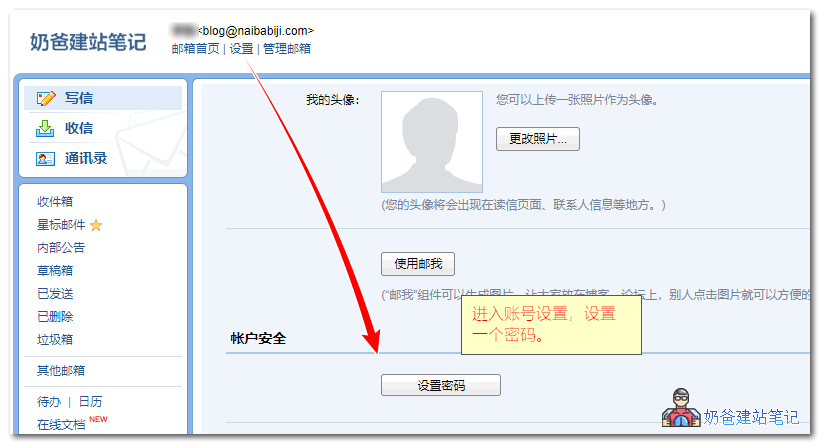
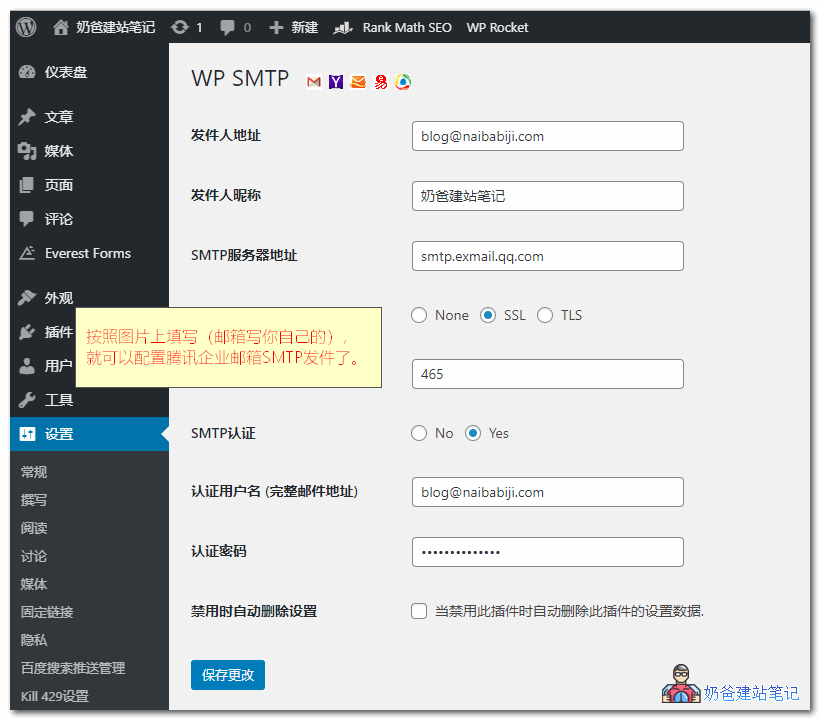
Next, we will set up how the WordPress website can send emails through the corporate email. First, use your corporate email accountLog in to the enterprise email, select Settings, and then create a password.腾讯企业邮箱注册和STMP发件设置教程Then, install an SMTP plugin for the website. There are many SMTP plugins on WordPress. Naiba has used the following ones; you can install any of them.On the SMTP settings interface, fill in the corresponding information as shown in the figure below:腾讯企业邮箱注册和STMP发件设置教程Attached are the official Tencent enterprise email POP3/SMTP and IMAP protocol parameters.
POP3/SMTP Protocol Receiving Mail Server: pop.exmail.qq.com, using SSL, port 995 Sending Mail Server: smtp.exmail.qq.com, using SSL, port 465 Overseas users can use the following servers Receiving Mail Server: hwpop.exmail.qq.com, using SSL, port 995 Sending Mail Server: hwsmtp.exmail.qq.com, using SSL, port 465 IMAP Protocol Receiving Mail Server: imap.exmail.qq.com, using SSL, port 993 Sending Mail Server: smtp.exmail.qq.com, using SSL, port 465 Overseas users can use the following servers Receiving Mail Server: hwimap.exmail.qq.com, using SSL, port 993 Sending Mail Server: hwsmtp.exmail.qq.com, using SSL, port 465 Account Name: Your enterprise email account name, the account name must be the complete email address Password: Your enterprise email password Email Address: The complete email address of your enterprise email
After setting up, you can send a test email. If it is sent successfully, it means all settings are correctly configured.腾讯企业邮箱注册和STMP发件设置教程If sending fails, check three areas:
  1. Check if the account is filled in correctly and if the account has sending permissions (Tencent enterprise email has permissions enabled by default; you can also check in the permission settings).
  2. Check if the plugin configuration is correct and if the wrong email account and password are entered;
  3. Check the server firewall to see if port 465 is blocked; if so, open it.Baota Panel Firewall Open Port Tutorial

🚀 Still feeling confused after reading the tutorial? Let me guide you step-by-step.

「Naibabiji WordPress Website Building Coaching Service」—From choosing a domain and buying hosting, to installing a Theme and publishing content, I「ll coach you through every step, helping you avoid detours and reach your goal directly.

👉 Learn about the Website Building Coaching Service
🔒

Comments are closed

The comment function for this article is closed. If you have any questions, please feel free to contact us through other channels.

×
二维码

Scan QR Code to Follow

AI Website Building Assistant

🤖
Hello! I am the Naibabiji AI Assistant. How can I help you?
Quick Consultation: