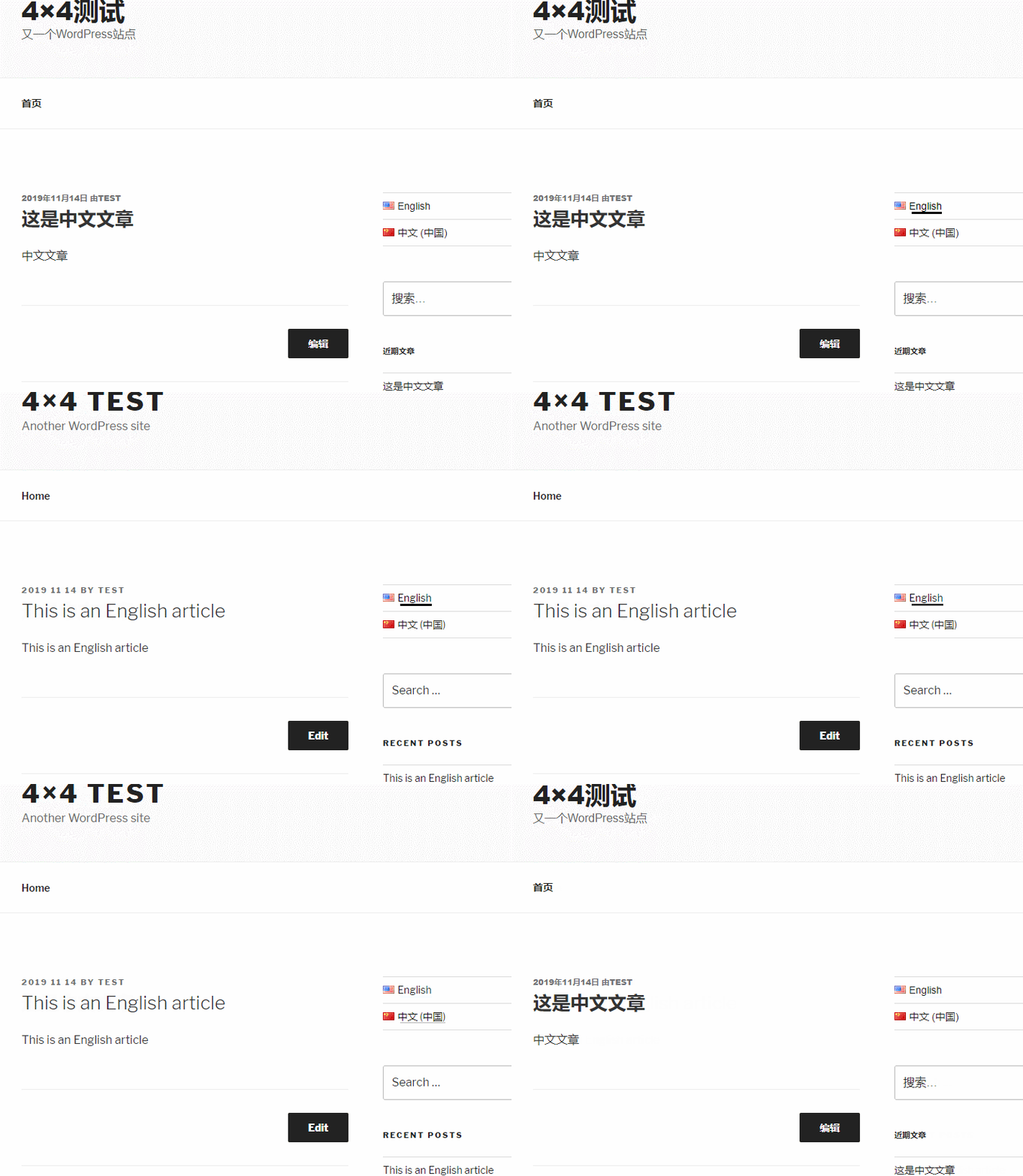

Polylang Effect Demo
The effect shown in the image below was recorded by Naiba after testing on November 14th. On the same website, clicking the language switch icon automatically changes the website content to Chinese or English.
Polylang Introduction
Polylang is aWordPress Website BuildingplatformFreeplugin for creating multilingual website versions. It allows you to create bilingual or multilingual WordPress websites. After writing posts, pages, and creating categories and post tags normally, you can create content in another language for them.If you don't have a WordPress website yet, you can follow the articles on Naibabiji tobuild a website yourself, which takes less than 3 hours.
Polylang Download Address
You can directly search for Polylang in the WordPress admin dashboard's plugin interface to install it, or download and install it via the link below.
Download LinkYou may also want to check out the following articles:- WordPress Plugin Installation Tutorial_Complete Guide to Popular Essential Plugins
- WordPress 429 Too Many Requests Error Method for Updating Themes and Plugins
Polylang Tutorial
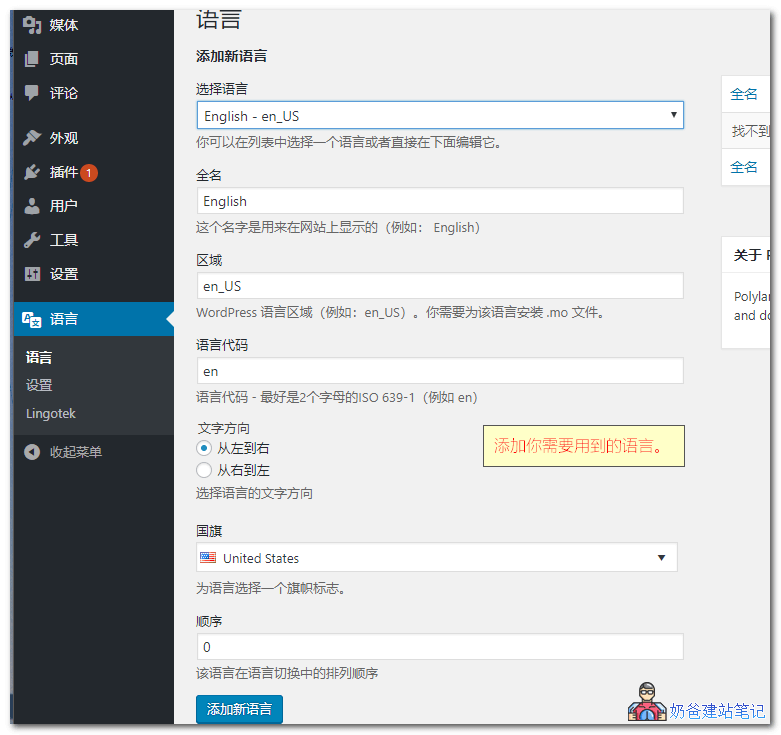
①、After installingthe Polylang multilingual plugin, a language option will appear in the left menu of WP. Go in and first add languages—add whichever languages you need. Naiba demonstrates adding both English and Chinese here.
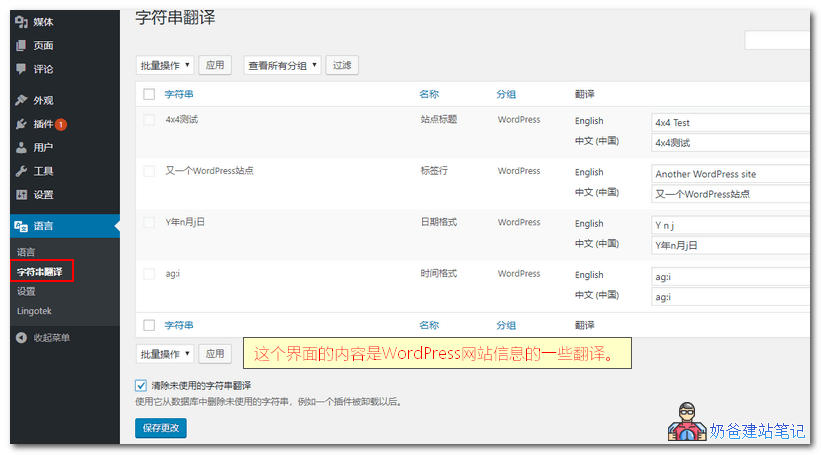
Tip: After adding multiple country languages, click the ⭐ star icon in the multilingual list to set which language is the website's default language. ②、After adding, switch to string translation. You'll see the default translation content for the languages you selected. Just translate the content into the corresponding display language yourself.
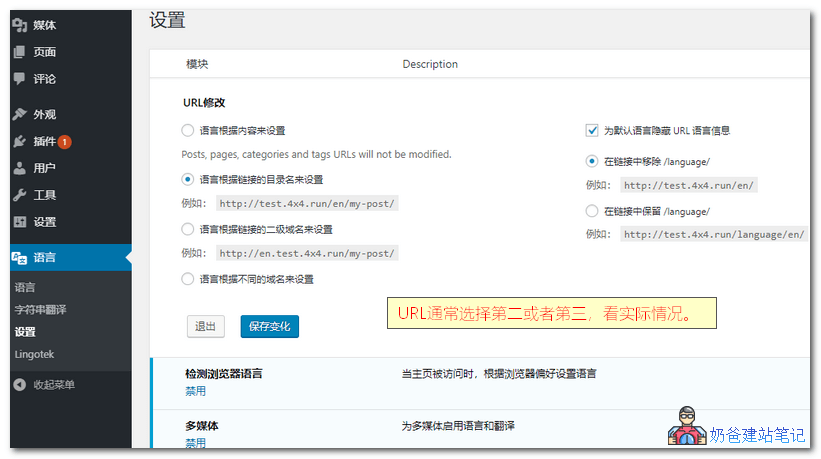
③、Set the URL format. The second option is usually recommended, where the language is set based on the directory name in the link. This gives the effect of adding /en after the website URL. If you choose the domain format, remember to set up the domain resolution first.
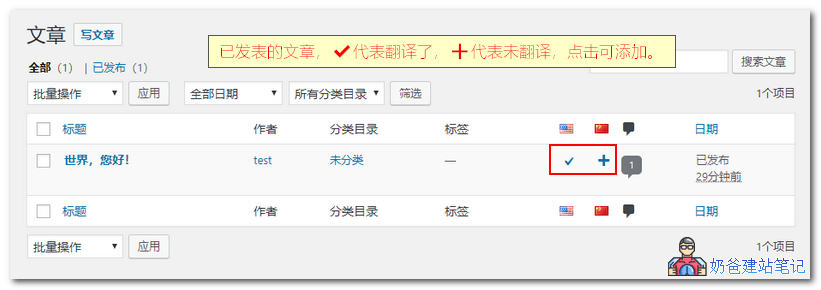
④、After setup, in the post list, page list, or tag list, you'll see an interface like the image below. Checkmarks represent posts that are already translated (default language). Click the plus sign to add a translation post in the corresponding language. After you add it, the plus sign will change to a pencil icon.
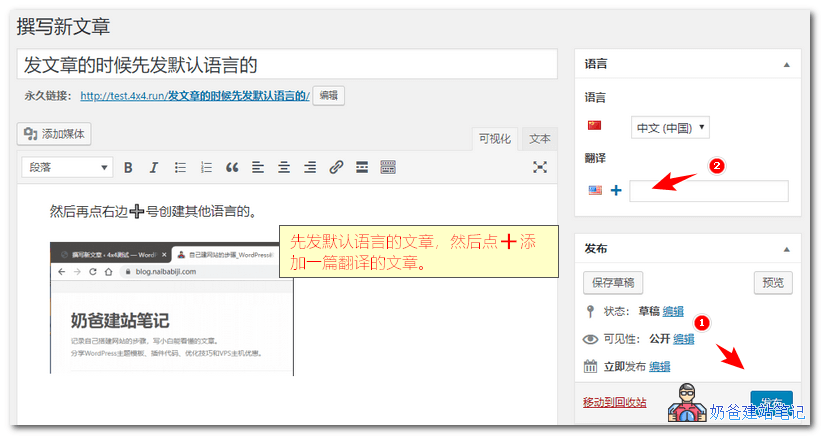
⑤、When publishing articles, first publish an article in the default language, then click the plus sign below the translation to create a new article in another language, and then publish it.
Polylang Menu Translation Method
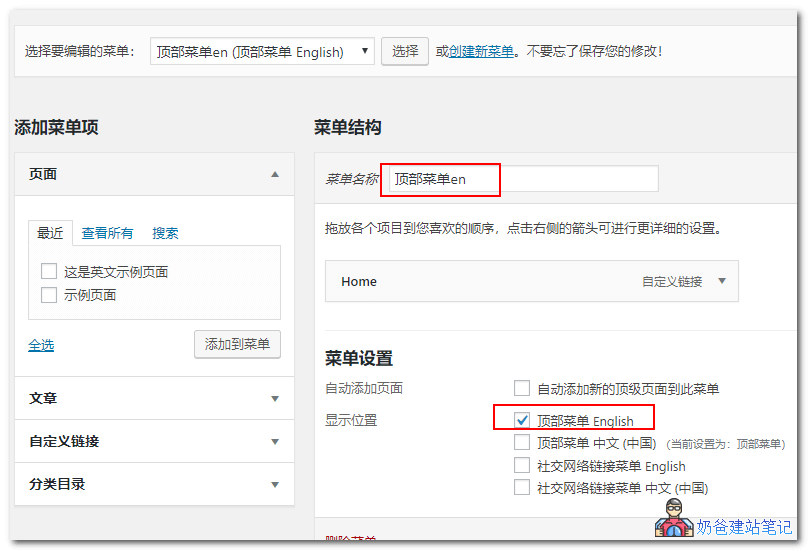
Some friendsbuild a multilingual websiteand find thatPolylang does not translate menus. This is because you haven't separately set up multilingual menus. After installing Polylang, additional menu items for your selected languages will appear in the WP menu settings. You need to create a separate menu for each language. You can use the same menu name followed by the language to distinguish which menu content each menu uses. As shown in the figure below:
After setup, the menu will change accordingly when switching languages on the website frontend.Polylang Language Switcher Not Displaying
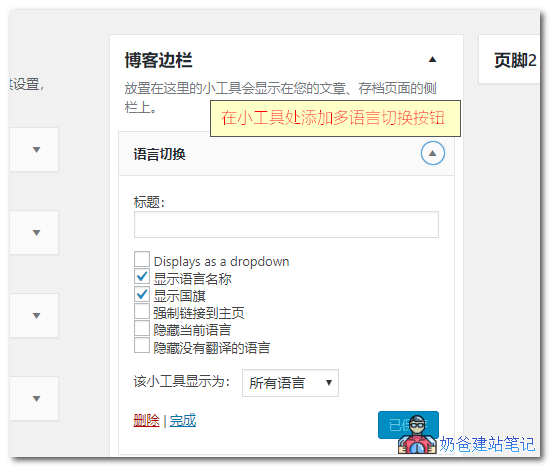
After completing all multilingual translations, you may find when visiting the websitePolylang Language Switcher Not Displaying, this is because you haven't added the multilingual switch button option to the website.The method to add the Polylang multilingual switch button is as follows:
If you are using an WordPress ThemesIf there is no widget and you want to add the language switch button to the top of the website or anywhere else, you can use the following code to call and output it:// 输出ul形式的多语言切换按钮 <?php pll_the_languages();?>
// 输出下拉选框的多语言切换按钮
<?php
$array = array(
'dropdown' => 1
);
pll_the_languages($array);
?>$array可选参数 'dropdown'=>如果设置为0,则显示列表;如果设置为1,则显示下拉列表(默认值:0) 'show_names'=>如果设置为1,则显示语言名称(默认值:1) 'display_names_as'=>'name'或'slug'(默认:'name') 'show_flags'=>如果设置为1,则显示标志(默认值:0) 'hide_if_empty'=>如果设置为1,则隐藏没有帖子(或页面)的语言(默认值:1) 'force_home'=>强制链接到主页,如果设置为1(默认值:0) 'echo'=>回声如果设置为1,则返回一个字符串,如果设置为0(默认值:1) 'hide_if_no_translation'=>如果设置为1,则不存在翻译时隐藏语言(默认值:0) 'hide_current'=>如果设置为1,则隐藏当前语言(默认值:0) 'post_id'=> if set,显示由post_id定义的帖子(或页面)翻译的链接(默认值:空) 'raw'=>使用它来创建您自己的自定义语言切换器(默认值:0)The above is the complete content of using Polylang to build a multilingual foreign trade website. If you want Polylang to translate every article, it is recommended to hire several editors to help; otherwise, for websites with many articles, the workload is too heavy. Polylang also has automatic translation extensions, but the quality of automatic translation certainly cannot match that of manual translation. For multilingual foreign trade enterprise websites, it's better to be more rigorous.Related articles:

Comments are closed
The comment function for this article is closed. If you have any questions, please feel free to contact us through other channels.