🚀 Is building a website too difficult? Let me guide you step by step—Learn about the 「Naibabiji WordPress Website Building Coaching Service」 →

Yoast SEO v18.4 Chinese Premium Cracked Version Download and Usage Tutorial (Updated)

When it comes to SEO plugins for the WordPress platform, one must mentionthe largest user baseYoast SEO. Yoast SEO comes in a free version and a premium version,The premium version comes with Chinese by defaultso you don't need to look for any localized version to download. This article from Naibabiji sharesDifferences Between Yoast SEO Free and Premium VersionsYoast SEO Chinese Premium Version DownloadUsage Tutorial

Differences Between Yoast SEO Free and Premium Versions

Difference One: Language Support

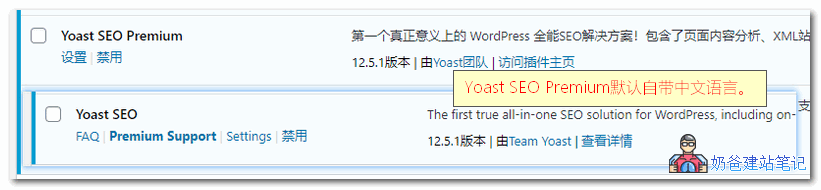
Yoast SEO Free version does not support Chinese by default, the Premium version supports Chinese by default.Yoast SEO Premium自带中文语言

Difference Two: Different Features

①、Compared to the free version, Yoast SEO Premium includes additional features such asRedirect ManagerXML SitemapThese two features are useful for domestic users, but they can also be replaced by other plugins; it's not essential to use this one. ②. Add related phrases, internal link suggestions, social media previews, email support, and no ads. These features are not useful for Chinese website users. They might be useful for English websites, but Naiba hasn't built English sites, so the actual effectiveness is unclear. From testing, it seems it can help analyze SEO information on your website and provide internal link suggestions, etc. No evaluation is made.

Yoast SEO Chinese Premium Version Download

The free version of Yoast SEO can be installed directly by searching in the WP Admin Dashboard. The advanced Chinese paid version can be downloaded after payment, but Naiba recommends another one.Rank Math Plugin, it's free.Download Free Version
Pro Cracked Version Download (v16.6 latest version visible after payment, 14.9 old versionClick here, extraction password:9LNKT1DD
One-time payment, lifetime access.Cracked Version Download LinkNote: After downloading, wait a few minutes, then click update in the WordPress Admin Dashboard. After updating the translation, the plugin will display in Chinese. Extraction password:9LNKT1DDIf the update never occurs, refer to the image below and upload the language pack yourself:Language Pack Download    

Yoast SEO 17.0 Update Log

Release Date: August 24, 2021 Say hello to Yoast SEO 17.0! This release includes some behind-the-scenes improvements, including fixes to our indexable data management. For now, enjoy Yoast SEO and write the best content in your chosen language! Read more about the new features of Yoast SEO 17.0 in our release post!Enhancements:Speed up admin page load times by preventing unnecessary unindexed object counts. Clean up items no longer in use from the database, thereby reducing the database size for many sites. Improve the overall performance and responsiveness of Gutenberg.Bug Fixes:Fixed a bug where the Save all button in the bulk editor did not work. Fixed a bug where columns in the Existing bulk editor were not updated after saving.Other:Updated the message suggesting you install WooCommerce SEO when WooCommerce is installed.

Yoast SEO Usage Tutorial

Next, let me introduce how to use Yoast SEO. The free version just lacks Chinese translation; the operation steps are the same.

Run Configuration Wizard

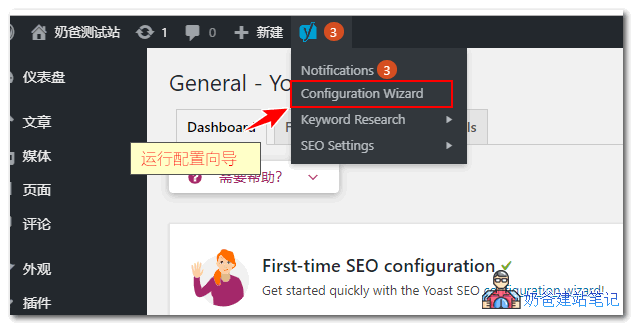
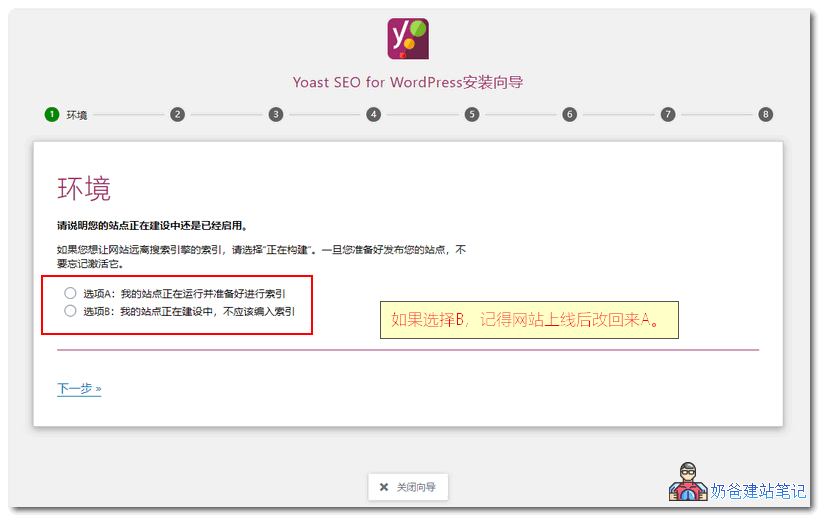
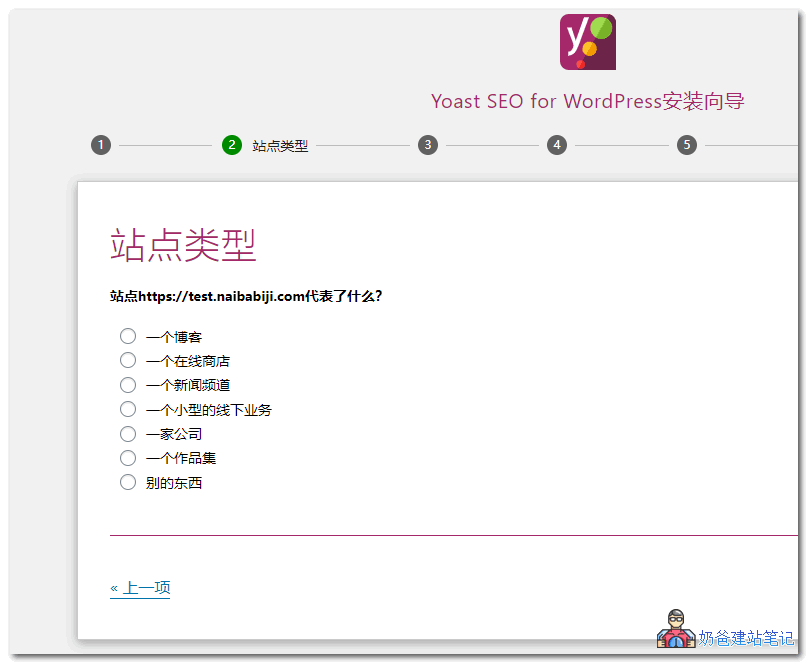
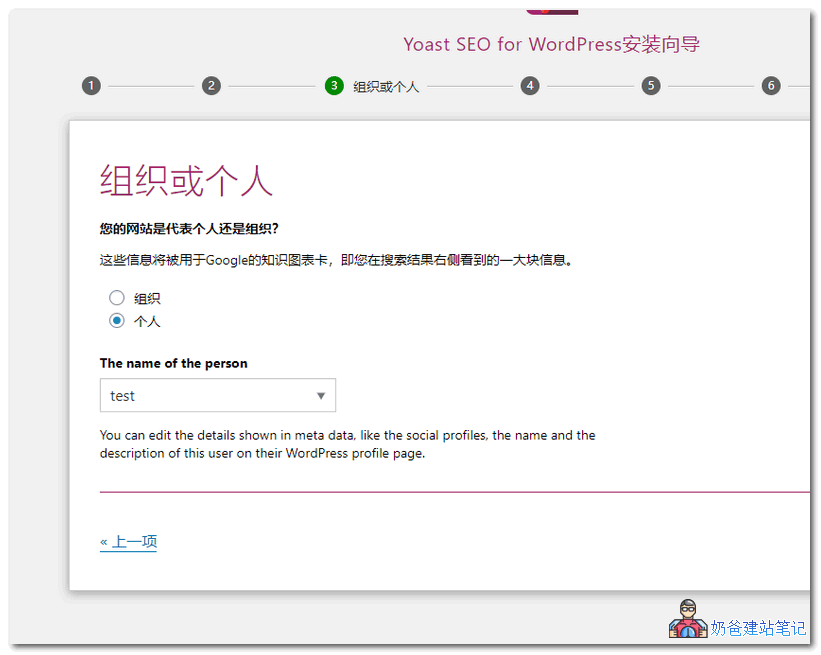
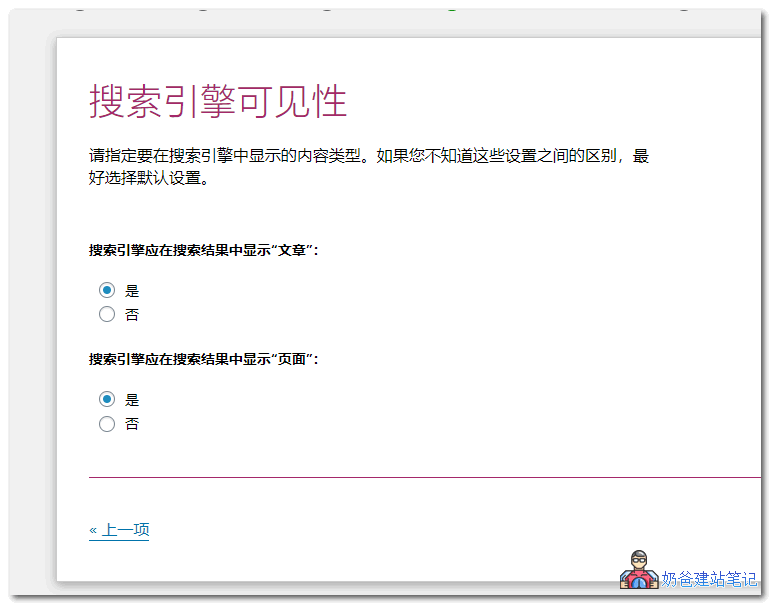
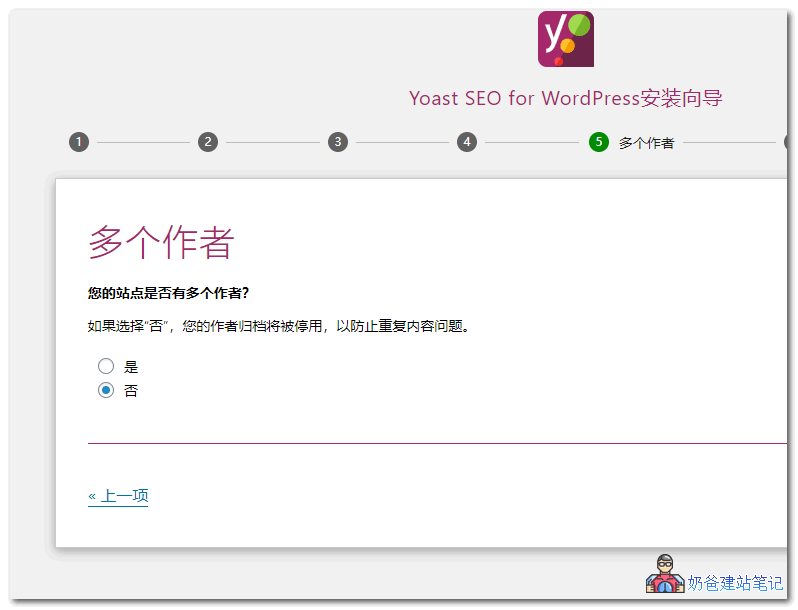
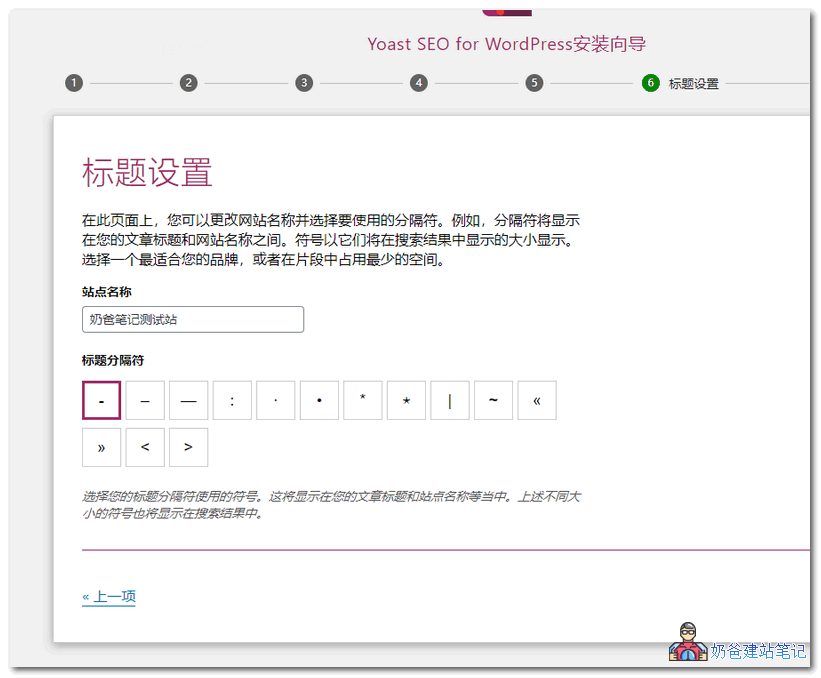
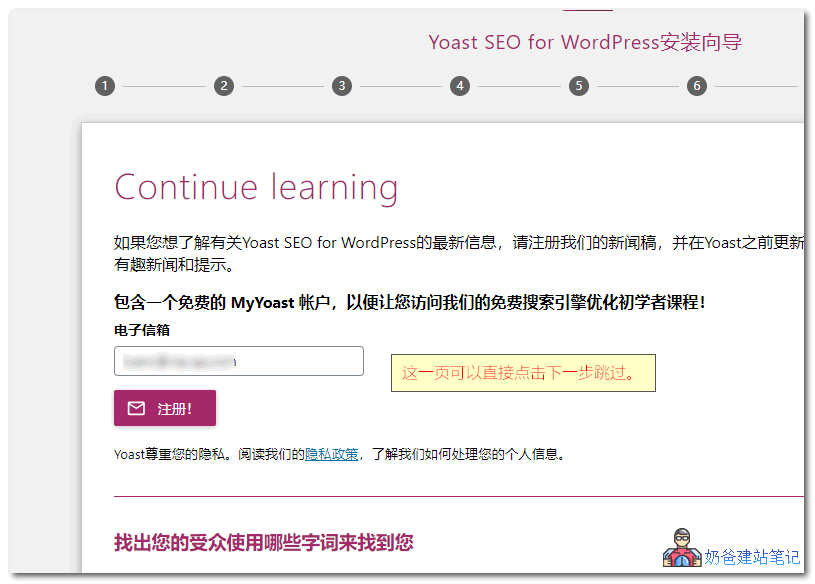
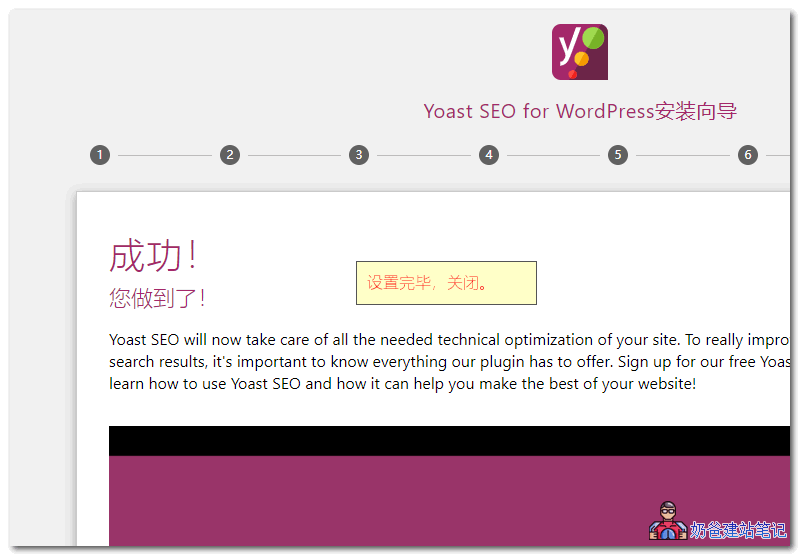
Yoast SEO provides a setup wizard feature for newcomers, which you can start via the wizard in the admin bar.Yoast SEO使用教程The setup wizard consists of 8 steps. For the free version, just follow the Chinese prompts in the screenshots below.Yoast SEO使用教程 Yoast SEO使用教程 Yoast SEO使用教程 Yoast SEO使用教程 Yoast SEO使用教程 Yoast SEO使用教程 Yoast SEO使用教程 Yoast SEO使用教程

Feature Settings

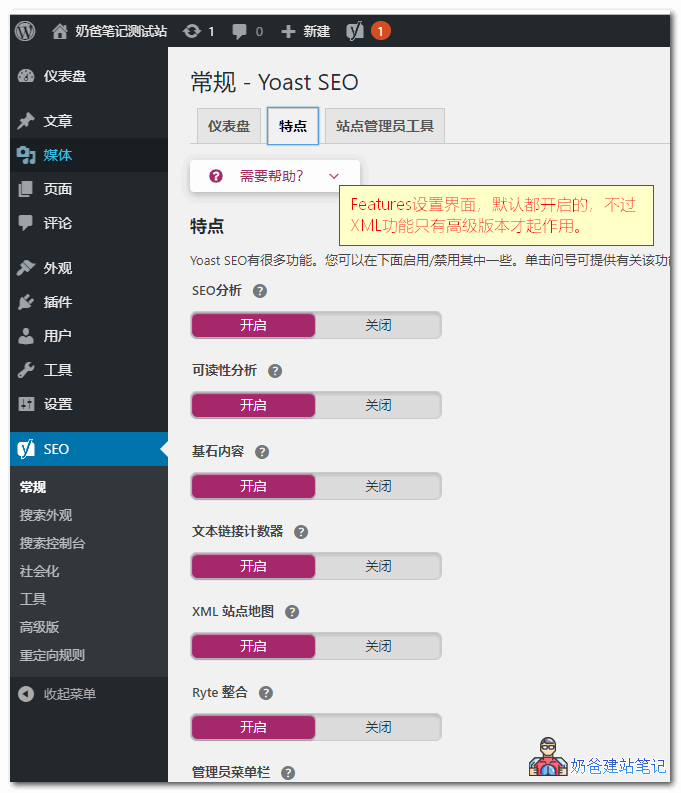
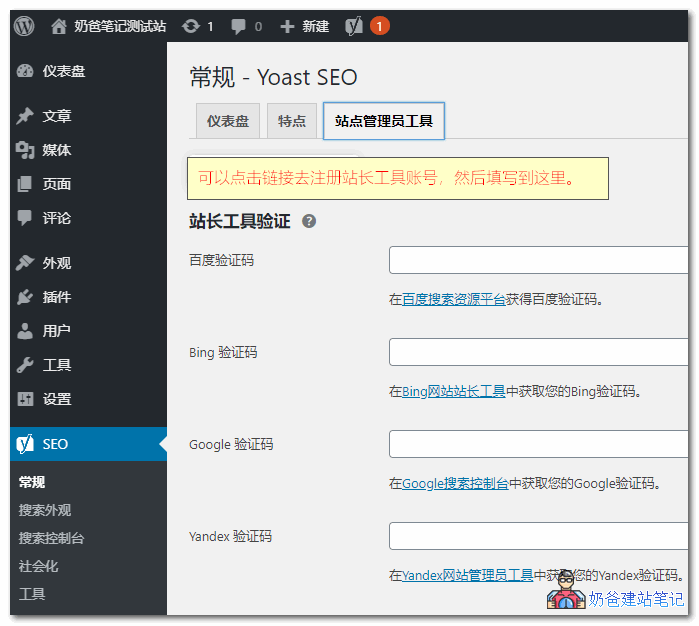
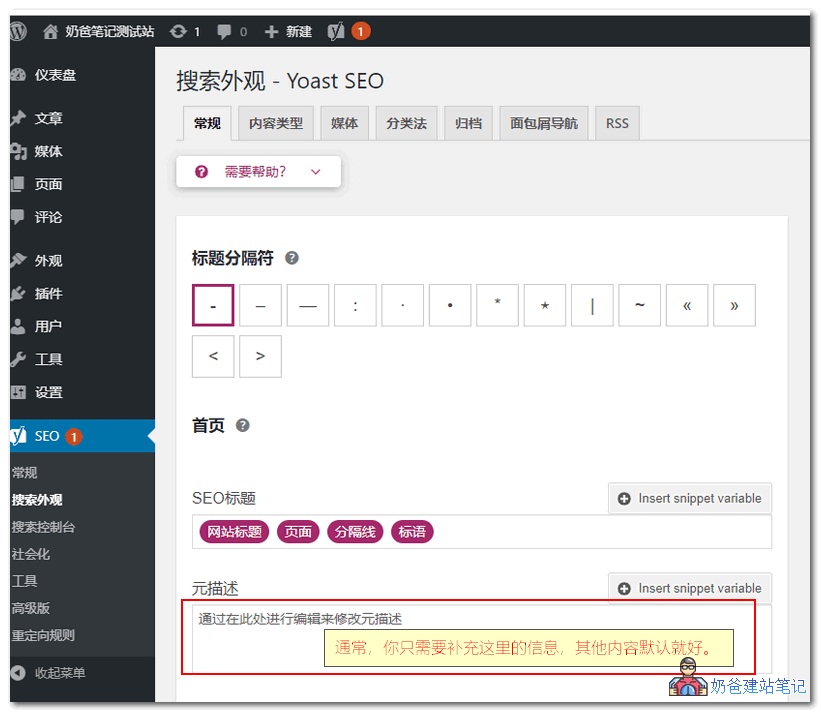
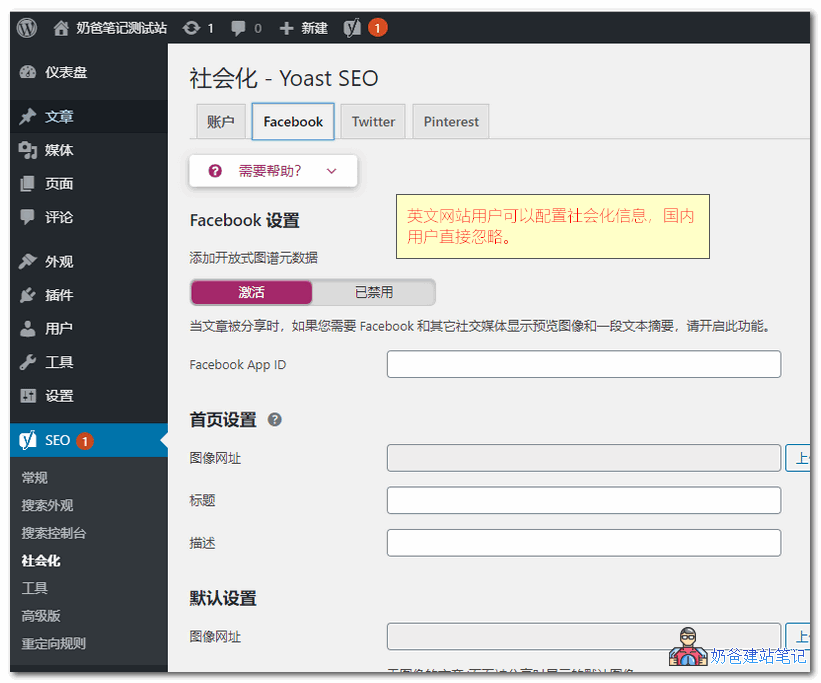
After the wizard finishes, we enter the Yoast SEO settings. The features under 'Features' are enabled by default, except the XML sitemap feature is not available in the free version. If you use the premium version, it can replace your sitemap plugin.Yoast SEO使用教程Site admin tools (like Google Search Console) are recommended for everyone to register and fill in. (Essentially, during site admin registration, there's a website meta tag verification. You paste the verification code here, then click verify to pass.)Yoast SEO使用教程In Search Appearance, usually you only need to fill in the homepage meta description. This is like a brief introduction to your website. For example, Naibabiji's is: NaibaWebsite Building Notesrecordsthe steps to build your own websiteWordPress Installation Tutorial for Individuals and Businesses; sharing Theme templates, Plugin code resources for download, VPS hosting deals, usage tutorials, and web optimization techniques.Yoast SEO使用教程Social sharing here is only useful for foreign websites; domestic users can simply ignore it.Yoast SEO使用教程

Redirect Rule Management

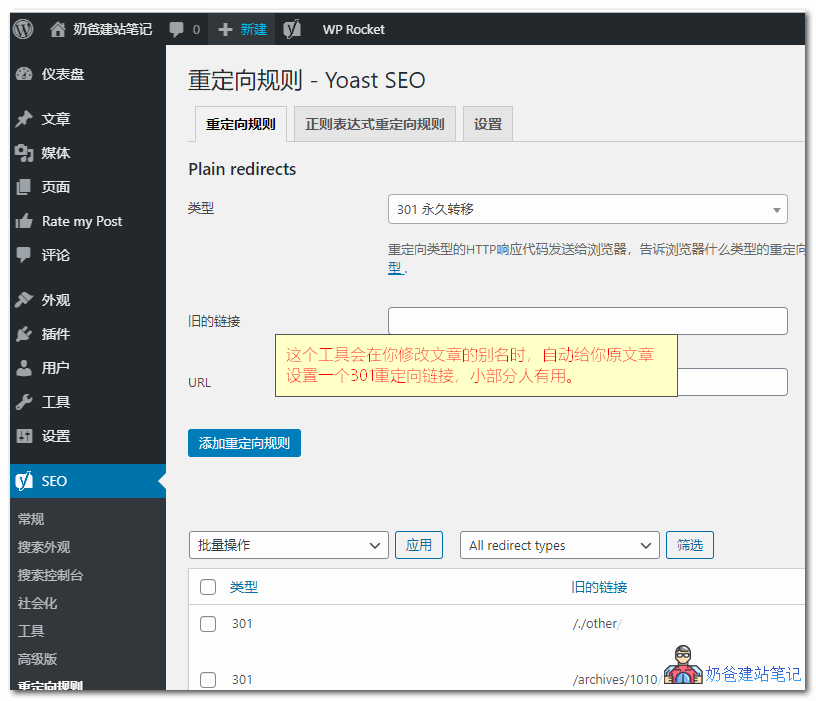
This is a feature only available in the premium version, similar to the one previously recommended by NaibaNo more worries about dead links WordPress 404 SEO plugin recommendation: 404 SolutionThe Plugin serves the same function, but Yoast SEO will automatically add new 301 rules when you modify a Post's slug. However, if youPermalinkare not using a Permalink structure containing %postname%, then this feature is basically unnecessary. So the free version of Yoast SEO is also sufficient.Yoast SEO使用教程

Application When Writing Posts

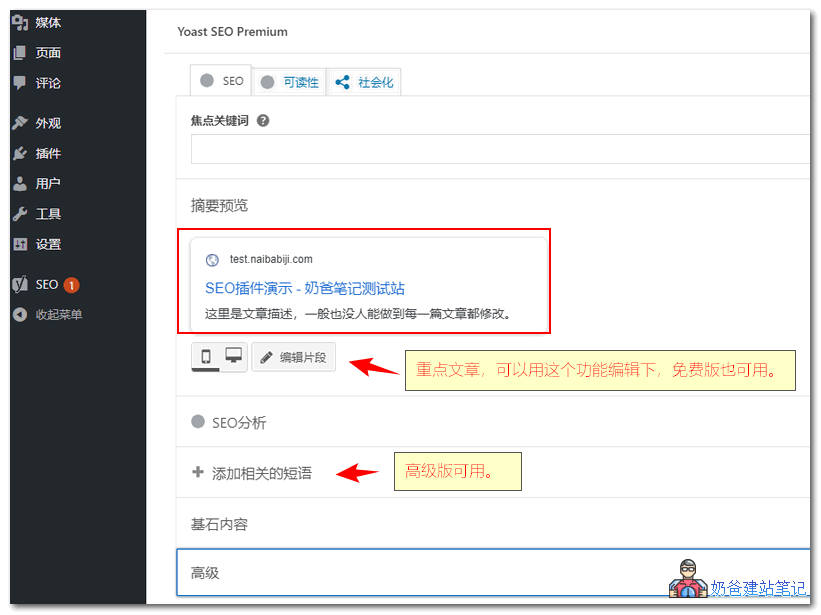
The main point of installing an SEO Plugin is to conveniently set the TKD (title, keywords, description) individually for each Post while writing. However, generally, only for particularly important articles or those intended to compete for rankings would one deliberately write these. In most cases when publishing Posts, the defaults are used; the Plugin will automatically output the title based on your previously set title format, leaving keywords and description empty. For SEO beginners, the keywords and description you write yourself may not be accurate, so it's better to leave it to search engines to determine the appropriate keywords and description for your article.Yoast SEO使用教程The related keyphrase feature is only available in the premium version. Naiba tested it; for Chinese websites, SEO Analysis, Related Keyphrases, and Cornerstone Content are basically useless. I haven't written for English websites, so I'm not sure if it's useful there.

Don't Rely Too Much on SEO Plugins

Website SEO is not something an SEO Plugin alone can handle for you. The most crucial part is to write articles carefully yourself and grasp some basic SEO knowledge. The features provided by these SEO Plugins can actually be implemented through the website Theme template's code. The purpose of installing an SEO Plugin is:
  1. Easier and more convenient to use than modifying Theme code;
  2. No need to worry about SEO information loss or changes due to different Theme code when switching Themes.
SEO is a bit of a mystery. If you believe in it, it exists; if not, it's also fine, as long as the basic points are met:
  1. The website content meets user needs;
  2. The website title contains word combinations users would search for;
  3. The website structure is reasonable.
Leave the rest to the search engines to decide.

SEO Related Articles

🚀 Still feeling confused after reading the tutorial? Let me guide you step-by-step.

「Naibabiji WordPress Website Building Coaching Service」—From choosing a domain and buying hosting, to installing a Theme and publishing content, I「ll coach you through every step, helping you avoid detours and reach your goal directly.

👉 Learn about the Website Building Coaching Service
<

Post Reply

Your email address will not be published. Required fields are marked with*marked

🔒 Security Verification
Please click Grape
🍇
Grape
🥝
Kiwi
🍎
Apple
🍑
Cherry

×
二维码

Scan QR Code to Follow

AI Website Building Assistant

🤖
Hello! I am the Naibabiji AI Assistant. How can I help you?
Quick Consultation: